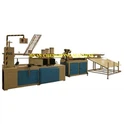
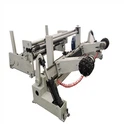
As a supplier of Paper Roll Making Machines, I understand the frustration that comes with a machine suddenly stopping working. Paper roll making machines are complex pieces of equipment, and when they malfunction, it can disrupt your production line and lead to significant losses. In this blog post, I'll share some practical steps on how to troubleshoot a paper roll making machine when it stops working.
Step 1: Check the Power Supply
The first and simplest thing to check is the power supply. A machine can't operate if it doesn't have power. Start by looking at the power cord. Ensure it is securely plugged into the outlet and that the outlet is functioning. You can try plugging another device into the same outlet to confirm.
If the power cord seems fine, check the machine's power switch. Sometimes, the switch can be accidentally turned off during normal operation or due to vibrations. Flip the switch to the "on" position and see if the machine powers up.
Also, examine the circuit breaker or fuse box. If a circuit breaker has tripped or a fuse has blown, it will cut off the power to the machine. Reset the circuit breaker or replace the fuse if necessary. However, if the breaker trips or the fuse blows again immediately, there may be a more serious electrical issue within the machine that requires professional attention.
Step 2: Inspect the Control Panel
The control panel is the brain of the paper roll making machine. It contains various buttons, switches, and displays that control the machine's functions. Check the control panel for any error messages. Most modern machines are equipped with diagnostic systems that can display error codes when something goes wrong.
Refer to the machine's manual to decipher the error code. The manual will provide detailed information about what the code means and how to address the issue. If there are no error messages, look for any loose connections on the control panel. Loose wires can cause intermittent power loss or incorrect signals, leading to the machine shutting down.
Make sure all the switches on the control panel are in the correct position. Sometimes, an operator may accidentally change a setting, which can cause the machine to stop working. Double - check all the settings against the normal operating parameters.
Step 3: Examine the Mechanical Components
Paper roll making machines have numerous mechanical components, such as motors, belts, gears, and rollers. A problem with any of these components can cause the machine to stop.
Start by visually inspecting the belts. Look for signs of wear, such as fraying, cracking, or stretching. A worn - out belt may slip or break, preventing the machine from operating properly. If you notice any issues with the belt, it should be replaced. You can find replacement belts from the machine's manufacturer or a reliable supplier.
Check the gears for any signs of damage or misalignment. Damaged gears can cause the machine to jam or make unusual noises. If a gear is broken, it will need to be replaced. Misaligned gears can often be adjusted by a trained technician.
Inspect the rollers. Rollers are essential for moving the paper through the machine. Make sure they are clean and free of debris. A build - up of paper dust or other contaminants on the rollers can cause the paper to slip or jam. Clean the rollers with a soft, dry cloth or a mild cleaning solution if necessary.
Step 4: Look for Paper Jams
Paper jams are a common problem in paper roll making machines. A jammed paper can stop the machine's operation and cause damage to other components if not addressed promptly.
Open the machine's access panels to locate the paper jam. Follow the paper path carefully and remove any stuck paper. Be gentle when removing the paper to avoid tearing it and leaving small pieces inside the machine.
After removing the jammed paper, check for any other signs of paper debris or blockages in the paper path. Use compressed air or a small brush to clean out any remaining particles.
Step 5: Check the Cutting and Slitting Mechanisms
If your paper roll making machine includes cutting or slitting functions, these mechanisms can also cause problems. For example, the blades may become dull over time, which can lead to uneven cuts or the machine stopping due to excessive resistance.
Inspect the blades for sharpness. If they are dull, they should be replaced. You can find replacement blades for Jumbo Paper Roll Slitting Rewinding Machine, Paper Roll Slitting Cutting Machine, and Jumbo Roll Slitting Machine from our company.


Check the alignment of the cutting and slitting mechanisms. Misaligned blades can cause the paper to be cut incorrectly or can put extra stress on the machine, leading to a breakdown. Adjust the alignment according to the machine's manual if necessary.
Step 6: Evaluate the Lubrication
Proper lubrication is crucial for the smooth operation of a paper roll making machine. Lack of lubrication can cause increased friction between moving parts, leading to wear and tear and eventually machine failure.
Check the lubrication points on the machine. These are usually marked in the machine's manual. Use the recommended lubricant and apply it according to the specified intervals. Over - lubrication can also be a problem, as it can attract dust and debris, so make sure to apply the right amount.
Step 7: Seek Professional Help
If you have gone through all the above steps and still can't identify or fix the problem, it's time to seek professional help. Our company has a team of experienced technicians who are trained to diagnose and repair paper roll making machines.
We offer on - site repair services and can also provide remote support if possible. Our technicians have access to the latest diagnostic tools and replacement parts, ensuring that your machine will be up and running as soon as possible.
Conclusion
Troubleshooting a paper roll making machine when it stops working requires a systematic approach. By checking the power supply, control panel, mechanical components, paper jams, cutting and slitting mechanisms, and lubrication, you can often identify and fix the problem. However, if you encounter a complex issue, don't hesitate to contact us.
As a leading supplier of paper roll making machines, we are committed to providing high - quality products and excellent after - sales service. Whether you need a new machine or assistance with troubleshooting and repair, we are here to help. If you are interested in purchasing a paper roll making machine or have any questions about our products, please feel free to contact us for a detailed discussion and negotiation.
References
- Manufacturer's Manual for Paper Roll Making Machines
- Industry Best Practices for Paper Machine Maintenance and Troubleshooting